Artificial Intelligence in Eduction

Follow this online session on the role of Artificial Intelligence in transforming education! Dive deep into the current and future impacts of AI, from personalized learning to ethical considerations. This is the second part in a series of webinars about AI organised by the Directorate for Digital Literacy and Transversal Skills. Airing Date: Friday, 16th February Hosted by Mr. Andre Bugeja (Digital Literacy Support Teacher Secondary) and Dr. Omar Seguna (EO Digital Literacy) For more information visit: https://digitalliteracy.skola.edu.mt Chapters: 00:00 AI in Education – 2024 Webinar by Mr André Bugeja & Dr Omar Seguna 03:15 Agenda 04:45 Emerging AI Technologies 19:07 AI Chatbots 23:50 Prompt Engineering 24:23 – Prompt Engineering Checklist 24:40 1. Set the Scene 25:24 2. Be Specific 26:22 3. Simplify Your Language 28:33 4. Structure and Output 29:06 5. Provide Feedback 30:16 Chatbot Limitations – Refining the output may be needed 32:03 Chatbot Limitations – Data quality and availability 32:54 Chatbot Limitations – Explainability and transparency 34:24 Chatbot Limitations – Lack creativity and empathy 35:42 Chatbot Limitations – Preventing Learning 37:28 Prompt Examples for Educators 52:20 Why Teach with AI? 56:06 Teaching with AI: Example 1:03:45 Digital Literacy Website link https://digitalliteracy.skola.edu.mt/…
“Implications of AI in Education” online session delivered on Thursday 23rd March.
Mr Andre Bugeja (Digital Literacy Support Teacher Secondary) and Dr Omar Seguna (Digital Literacy Education Officer) explored the possibilities of Artificial Intelligence in education focusing on tools which are often used by local educators including Microsoft 365.
Some AI guidelines
AI literacy
- All educational staff must be supported in developing a sufficient level of AI literacy, in accordance with Article 4 of the EU AI Act. (link)
- Educational institutions are responsible for ensuring that individuals interacting with AI systems understand their purpose, limitations, and potential risks. Training programmes should be tailored to the technical knowledge and context of use, fostering informed, ethical, and confident engagement with AI technologies
- Promoting inclusive access to AI tools and knowledge is essential to uphold democratic values, safeguard fundamental rights, and ensure equitable participation in digital education
Professional Development Sessions
- All educators involved in the deployment or use of AI systems in education must receive appropriate training to ensure a sufficient level of AI literacy, as required under Article 4 of the EU AI Act.
- Educational institutions must also ensure that students, parents, and educators are informed when AI is used, including its purpose, limitations, and their rights, in line with transparency obligations for high-risk AI systems
- Promoting AI awareness is essential to safeguard ethical use, uphold data protection standards, and foster trust in educational technologies
Responsible Use of Artificial Intelligence in Education
1. Enrolment and Admission
Schools shall not use AI systems to autonomously decide on student enrolment or admission. These decisions must remain under the control of qualified educational staff and are classified as high-risk under the EU Artificial Intelligence Act (AI Act), requiring strict human oversight and accountability.
2. Academic Placement
AI systems must not independently assign students to educational tracks, levels, or programmes. Such academic placement decisions carry significant implications for learners’ futures and must be made with human oversight to avoid discriminatory or unjust outcomes.
3. Assessment and Grading
Automated assessment tools may support but must not replace teacher judgement in evaluating student performance. Any use of AI in grading must comply with high-risk AI system requirements, ensuring transparency, fairness, and human supervision.
4. Human Oversight
In all high-risk applications of AI in education, meaningful human oversight must be ensured. According to Article 14 of the EU AI Act, this includes the ability to understand, monitor, and override AI outputs, with clear accountability for outcomes.
5. Transparency and Contestability
Students and parents must be informed when AI is used in any educational decision-making process .[OS1] [OS2] This includes disclosure of the AI system’s purpose, limitations, and the right to contest decisions made or influenced by AI.
6. Data Protection and GDPR Compliance
All AI systems processing student data must comply fully with the General Data Protection Regulation (GDPR) and relevant national laws. This includes principles of:
- Data minimisation: Only necessary data should be collected.
- Purpose limitation: Data must be used only for clearly defined educational purposes.
- Security: Appropriate technical and organisational measures must be in place to protect data.
7. Prohibited Uses of AI in Education
The following uses of AI are strictly prohibited in educational settings, in accordance with Article 5 of the EU AI Act:
- Emotion recognition: Inferring students’ or teachers’ emotions, except for medical or safety purposes.
- Personality profiling or behavioural prediction: Using AI to classify individuals based on inferred traits or behaviours.
- Social scoring: Evaluating or ranking students based on personal characteristics or behaviour.
- Exploitation of vulnerabilities: Using AI to manipulate students based on age, disability, or socio-economic status.
8. Administrative recommendations
- Use Single Sign-On (SSO)
Use platforms that allow students to log in with their school accounts to simplify access and improve security. Schools should also review the tool’s privacy policy and ensure it aligns with the GDPR before enabling single sign-on. - Choose Age-Appropriate Tools
Select tools that are designed specifically for children which cannot generate adult content. - Check Privacy Settings and Permissions
Ensure that the platforms do not collect unnecessary data and are used through school-managed accounts when possible.
9. Use of AI with children under 13 years old
- Children can explore early programming skills by moving a simple robot (e.g. bee bot or blue bot) across a mat with printed images. For instance, on a mat with animal pictures, they might programme the floor robot to travel from the pig to the pond, explaining each step. This develops spatial awareness, planning, and storytelling.
- Focus on hands-on coding education using platforms like Code.org or Scratch, especially in the early years (ages 7 to 11).
- Introduce generative AI gradually. It shouldn’t replace learning but can be a helpful tool when used the right way. For example, it can be used to explain mistakes in code, come up with creative ideas for projects, and open up discussions about its limits and ethical issues like bias, misinformation or plagiarism.Teach children to use generative AI wisely. Encourage them to think for themselves and see AI as a way to support their thinking, not do it for them.
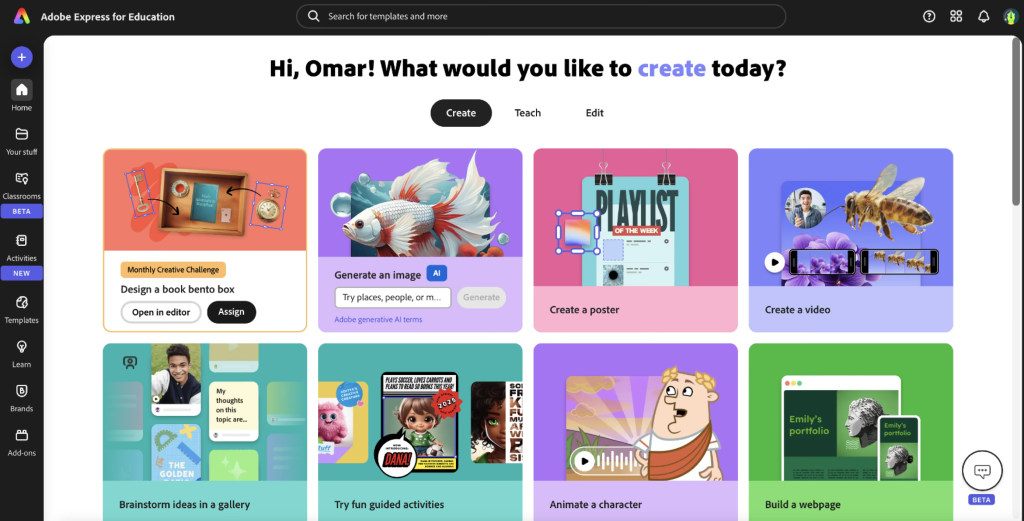
Instead of simply copying and pasting what the AI says, guide them to work alongside it and build their own understanding. - Eventually, using generative AI tools (example Adobe Express or Canva), can offer starting points that help students overcome blank-page anxiety. By seeing options generated for them, students are inspired to add their own ideas, images, and text.
- Children can use AI to generate a first draft, then evaluate and edit, encouraging critical thinking and improvement over time.
- Allow students to use AI-generated layouts or text as a base, but encourage them to make it their own.
- Help students make aware and recognise that GenAI can make errors and hallucination, therefore AI must must be used with a critical eye.
- Establish clear rules for when and how AI tools should be used during schoolwork.[OS3]
- Ask students to explain how they used AI in their work and what they learnt in the process.
10. Biometric monitoring technologies
The use of biometric monitoring technologies, including smartwatches and wearable devices, within educational environments must adhere to the EU AI Act. These systems may only be employed for legitimate health and safety purposes in physical education and must not be used for emotion recognition, behavioural profiling, or categorisation of pupils. All biometric data collection must be transparent, voluntary, and subject to robust human oversight and data protection safeguards.
Some Practical suggestions
Laying the Foundations for AI thinking (using a floor robot and mat)
- Choose a theme, for example: “Animals”, “The Farm” or “My Town”.
2. Print or draw pictures such as a cow, barn, shop, pond, tree, etc. Place one image in each square on the mat.
3. Set a task for the children. “Can you programme the robot to go from the cow to the pond?”; “Visit the shop, then the school, and finally the house.”
4. Allow children to programme the robot. Children use the buttons on the Bee-Bot (forwards, backwards, turn left, turn right) to direct it across the mat. If it goes wrong, they can try again and improve their sequence.
5. Encourage reflection by asking questions like
- “What instructions did you give the robot?”
- “What went wrong? How can you fix it?”
- “Why did you choose that route?”

Build and Use Prompts Together
Ask students to describe a scene by answering simple questions: Where is it? What time of day is it? Who or what is there? What’s the mood? What style (e.g. cartoon or realistic)? Help them turn answers into full sentences, like:
“A peaceful garden with benches, colourful flowers, and butterflies in the morning light.”
Have students write their own prompts, then read some aloud and discuss how to improve them.
You may write these prompts also using the interactive flat panel.
Use Adobe Firefly (https://firefly.adobe.com/) to generate a few images together.
Afterwards, reflect: Did it match your idea? Students can write stories or explore how small prompt changes affect the image
The focus should be always on Prompt engineering. Young students may or may not generate the image themselves.
Tools